



Installation Guide
Before Activation
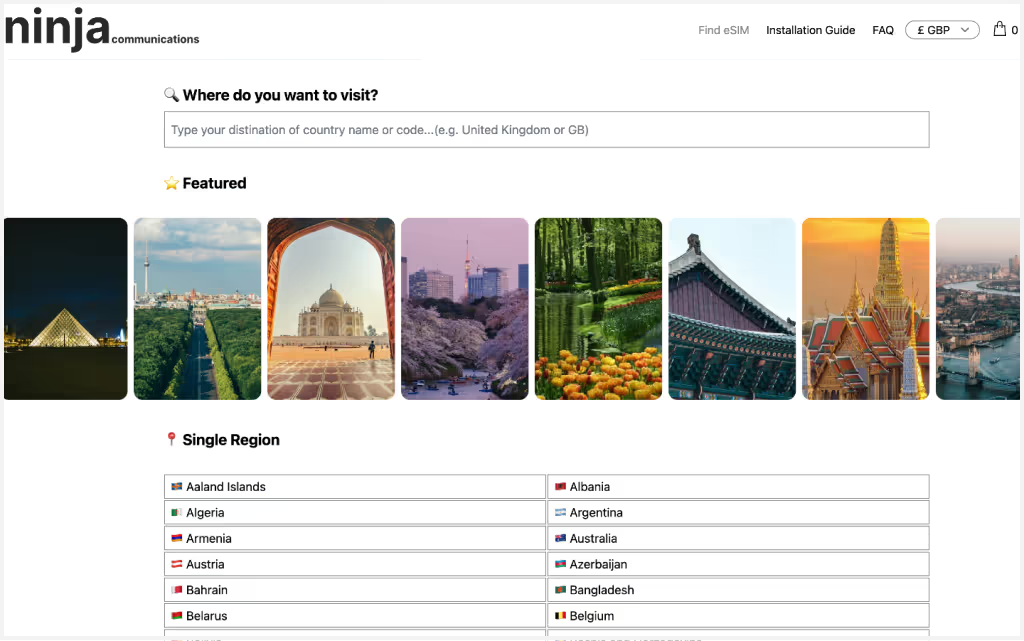
1. Search and Purchase a Plan.
Search for your destination country, select the number of days and data amount needed, and choose an eSIM plan. Before purchasing, check Device Compatibility to confirm that your device supports eSIM.
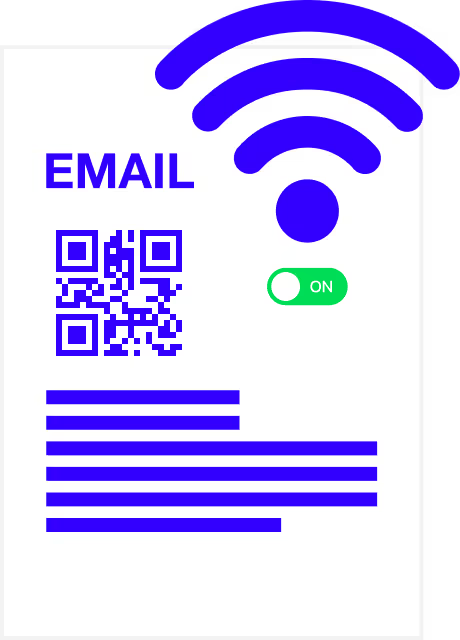
2. Recieve Activation Email.
After completing your order, you will receive an email with an activation QR code. Please ensure you are connected to the internet, such as via WiFi, when activating.
Activation
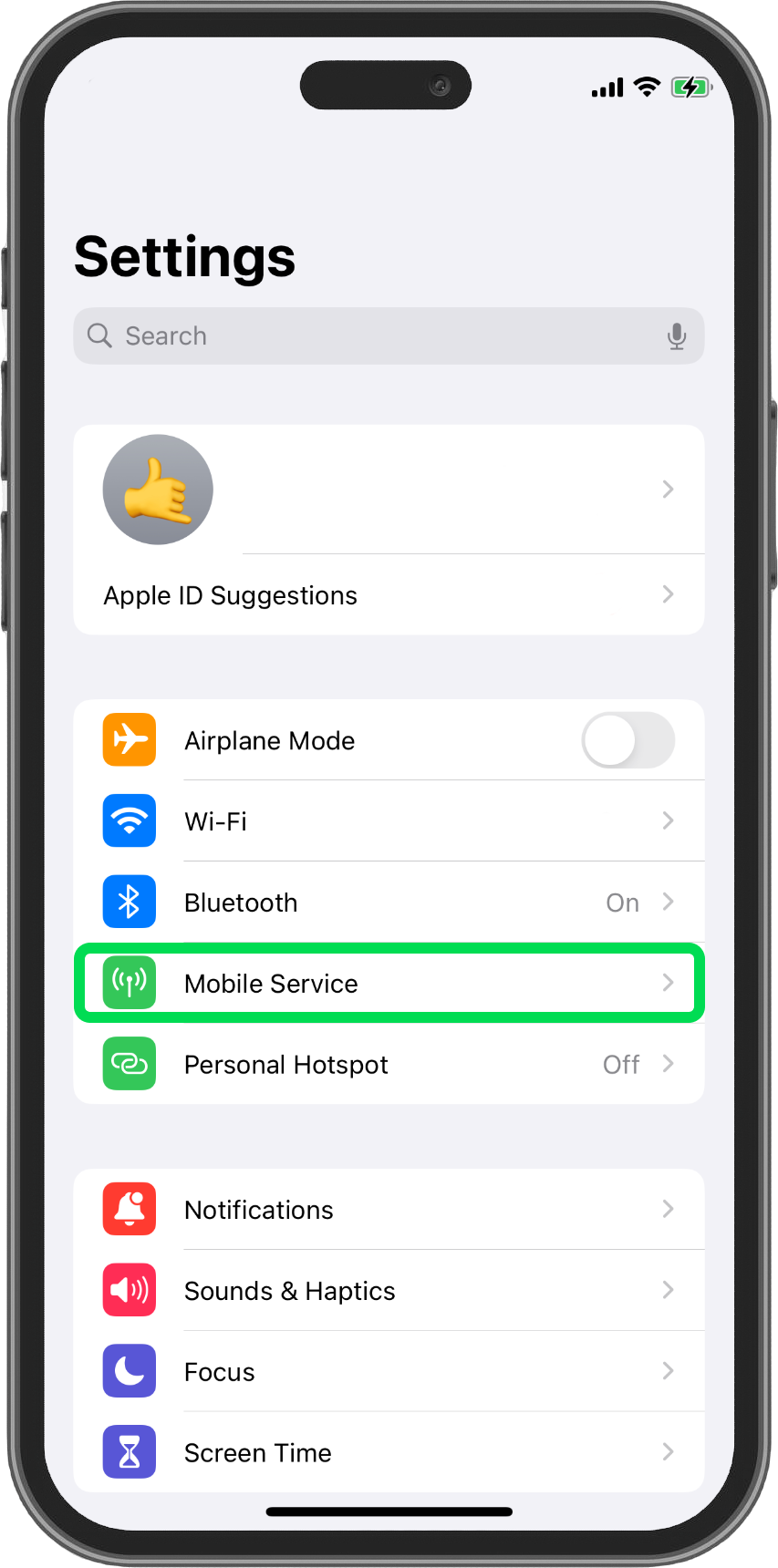
1. Go to Settings and select Mobile Service.
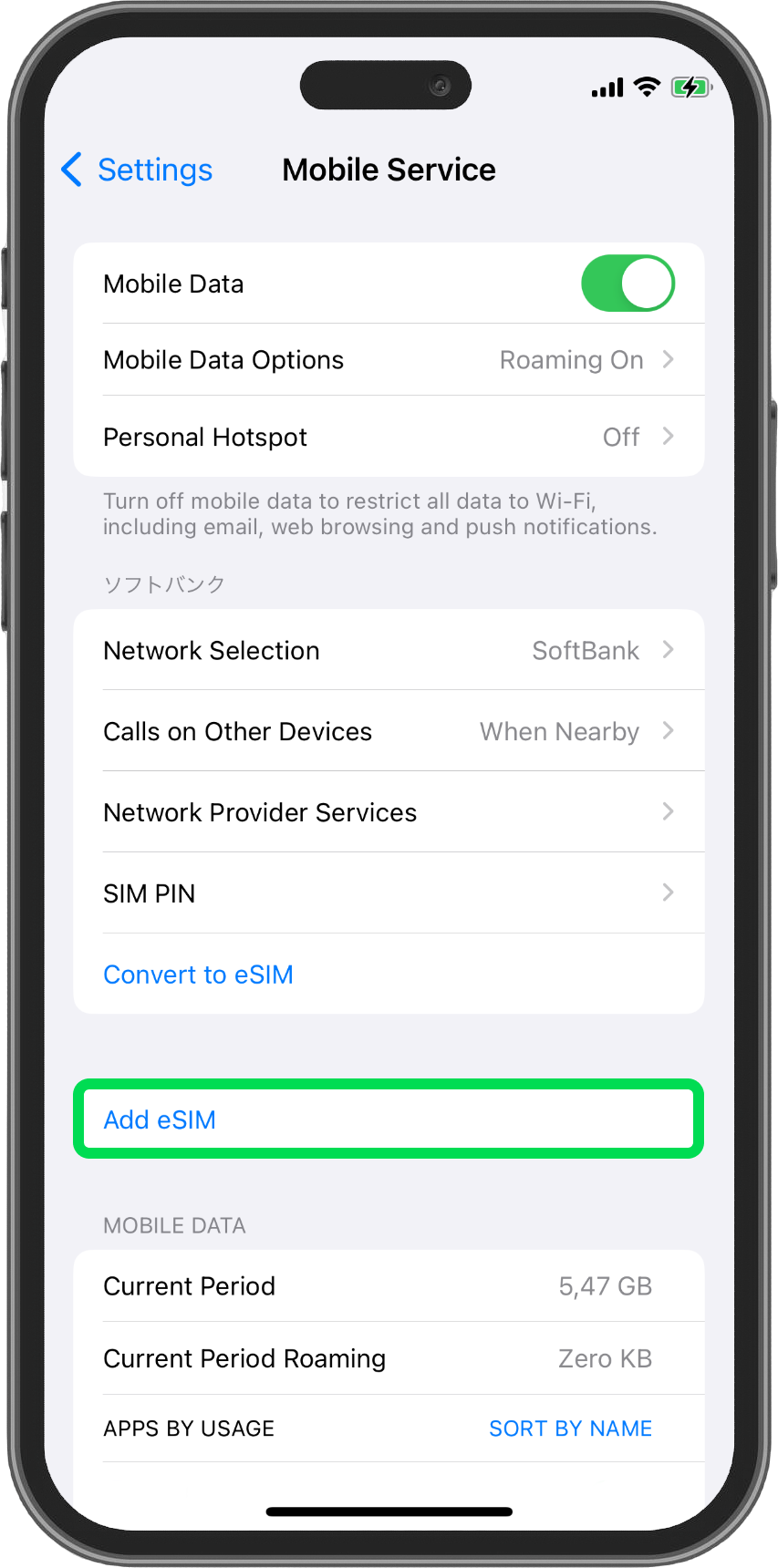
2. Select Add eSIM.
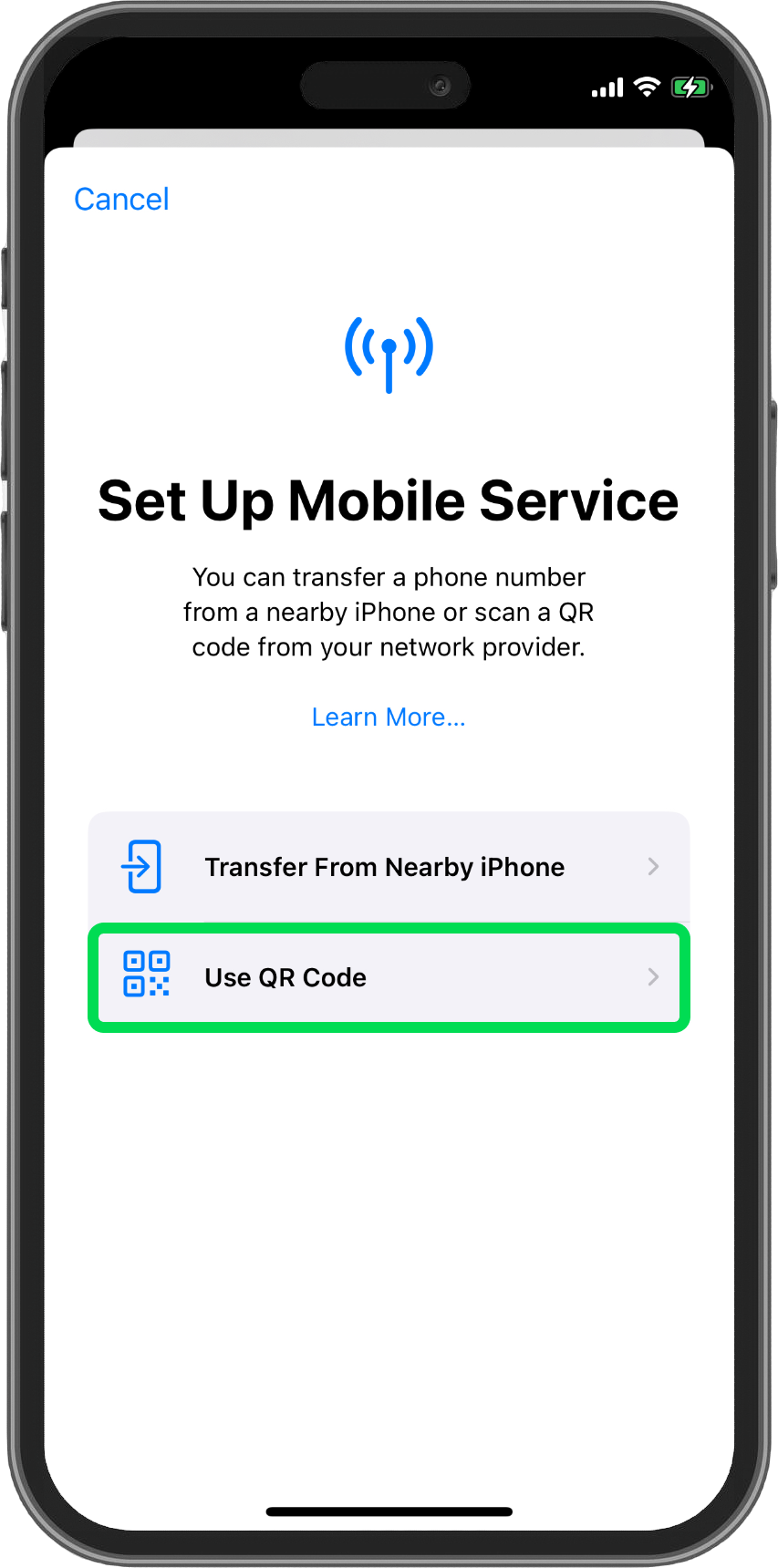
3. Select Use QR Code.
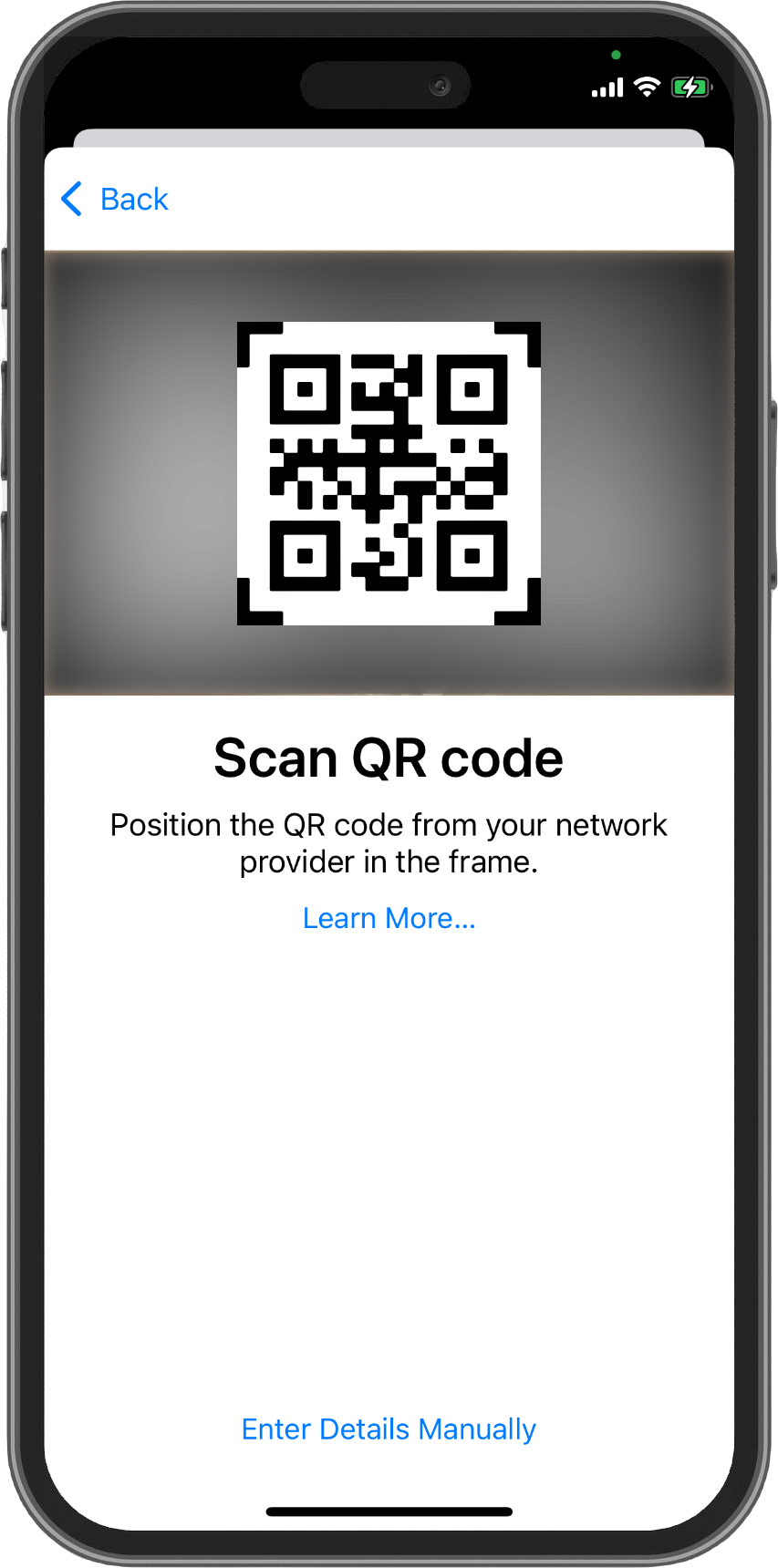
4. Use your camera to scan the QR code from the email.
If activating manually, copy the "SM-DP+ Address" and "Activation Code" from the link in the email, and enter them on the screen after selecting Enter Details Manually.
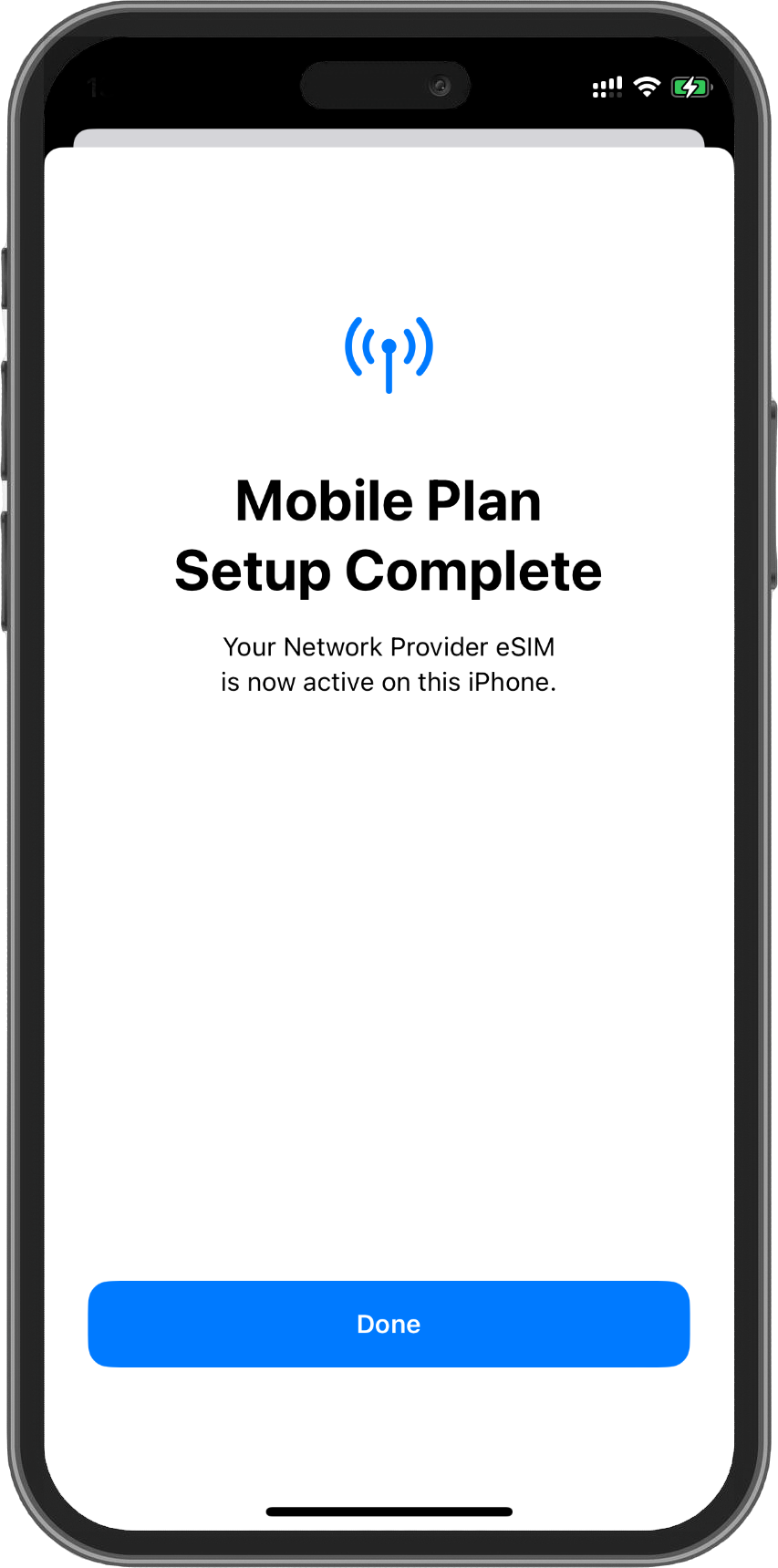
5. Activation Complete.
Activation may take a few minutes to complete.
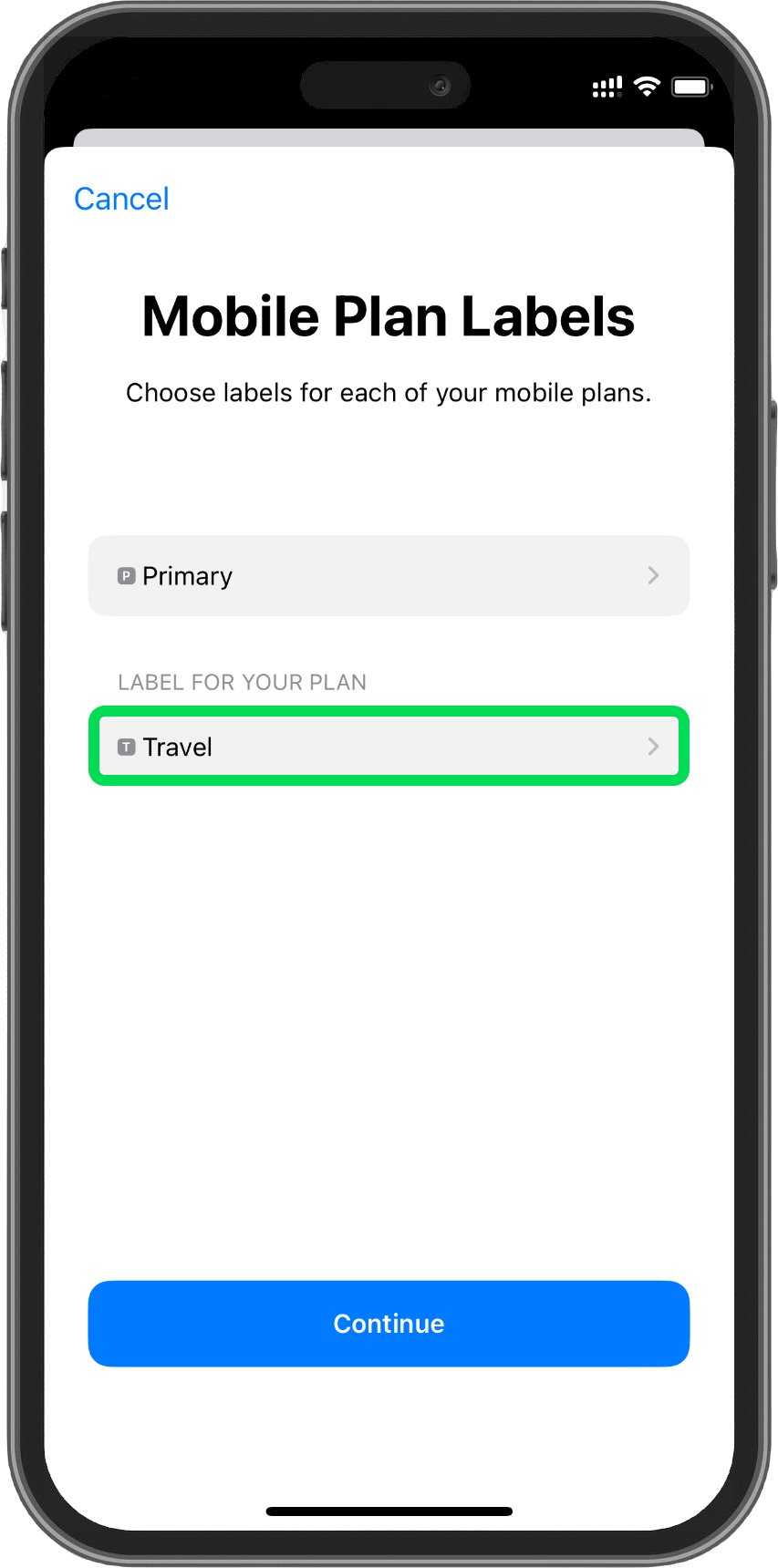
6. Rename the added eSIM.
It’s helpful to use a clear label, such as “Travel” or “Business.”
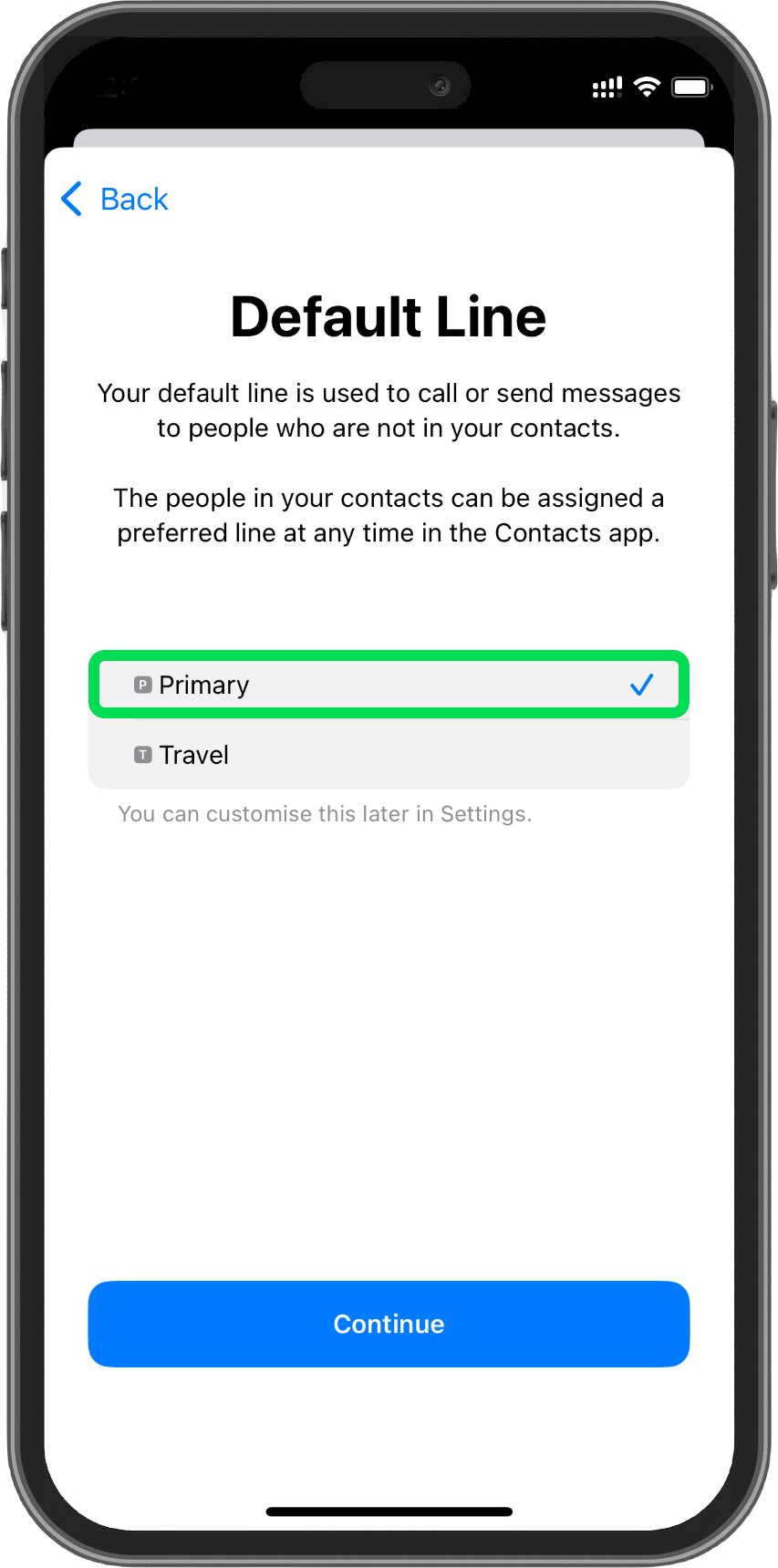
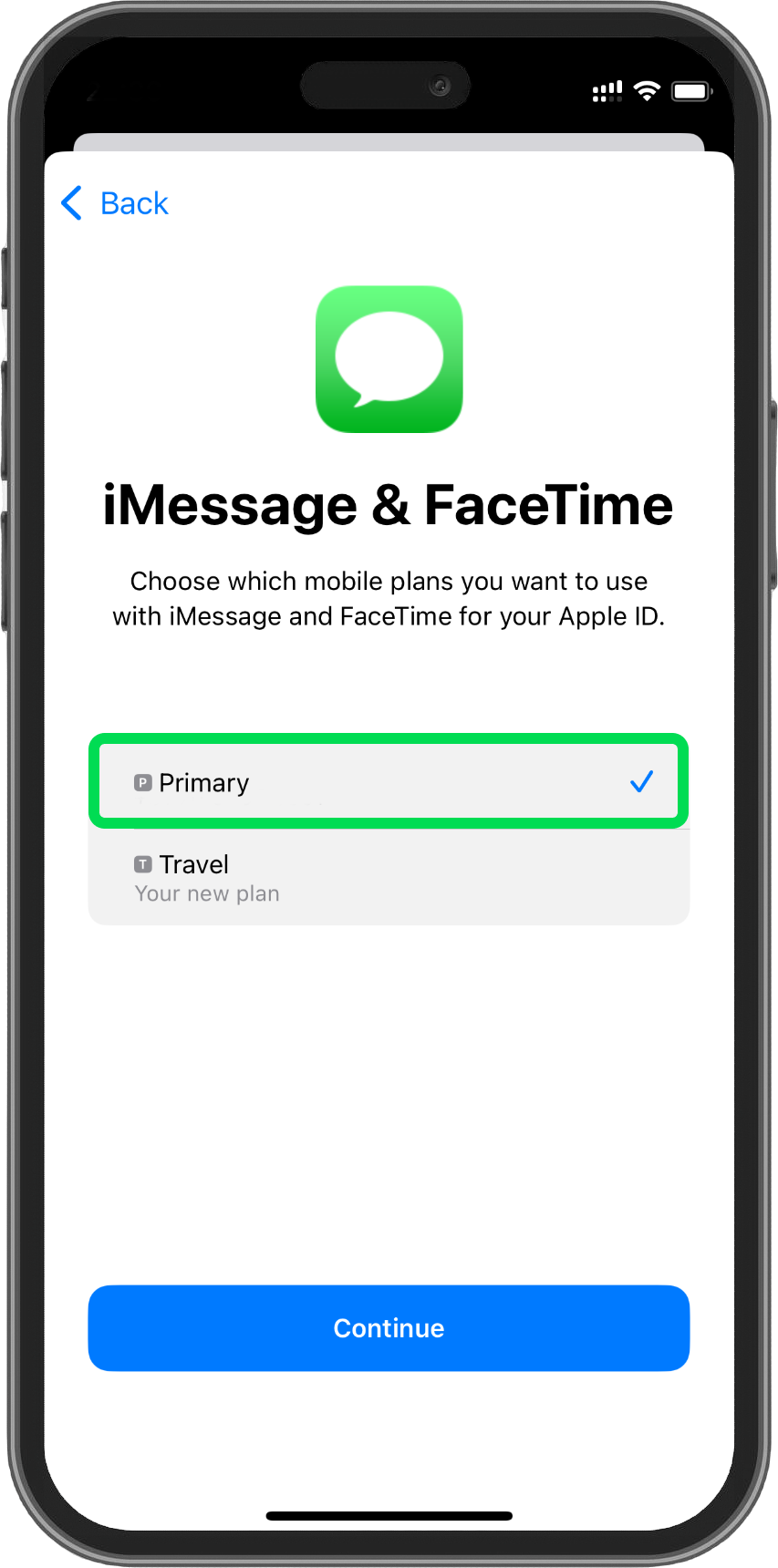
7. Set Default Line, iMessage, & FaceTime.
Since our eSIM provides only a data plan, set your primary number as the default for these services.
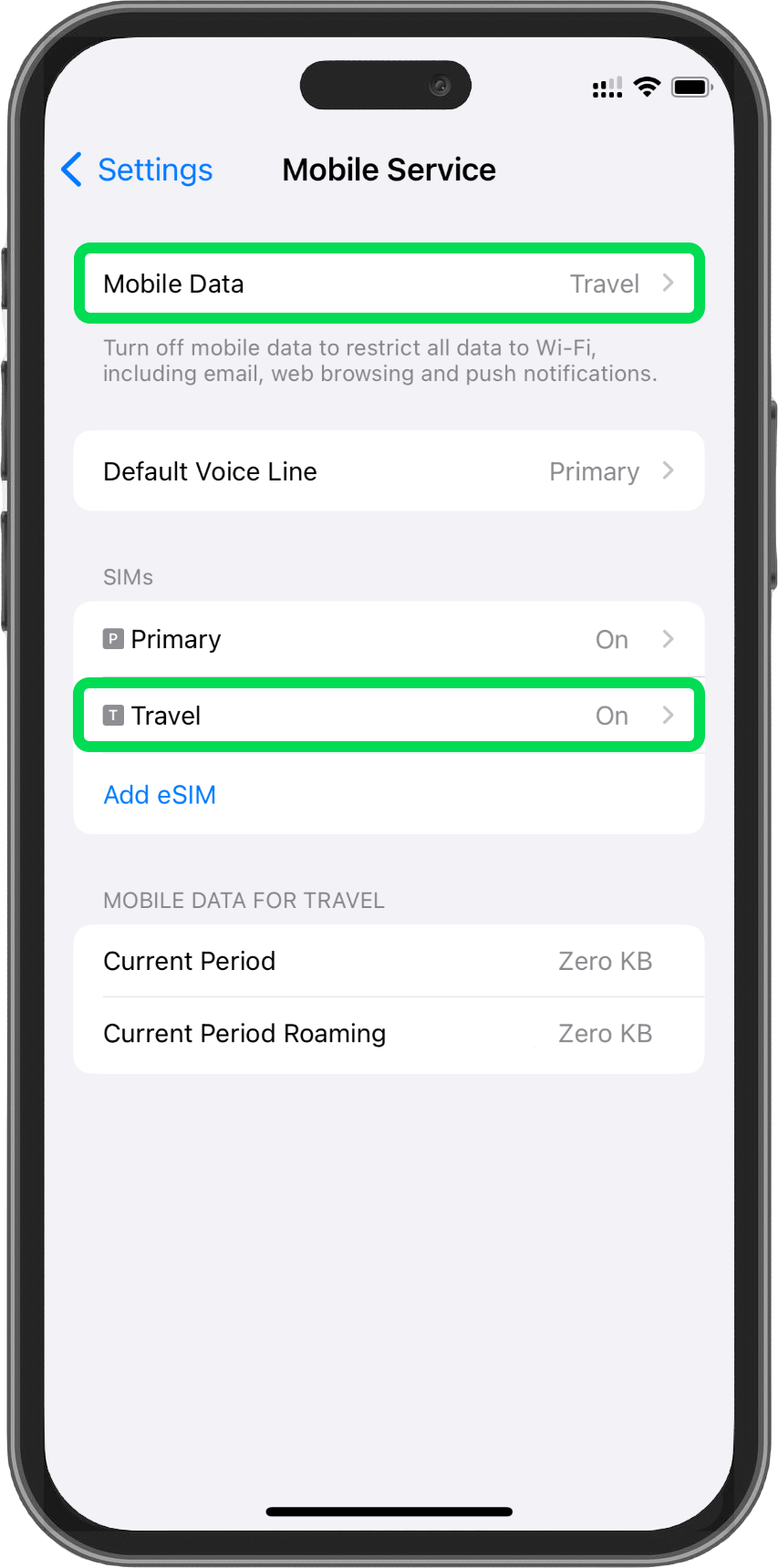
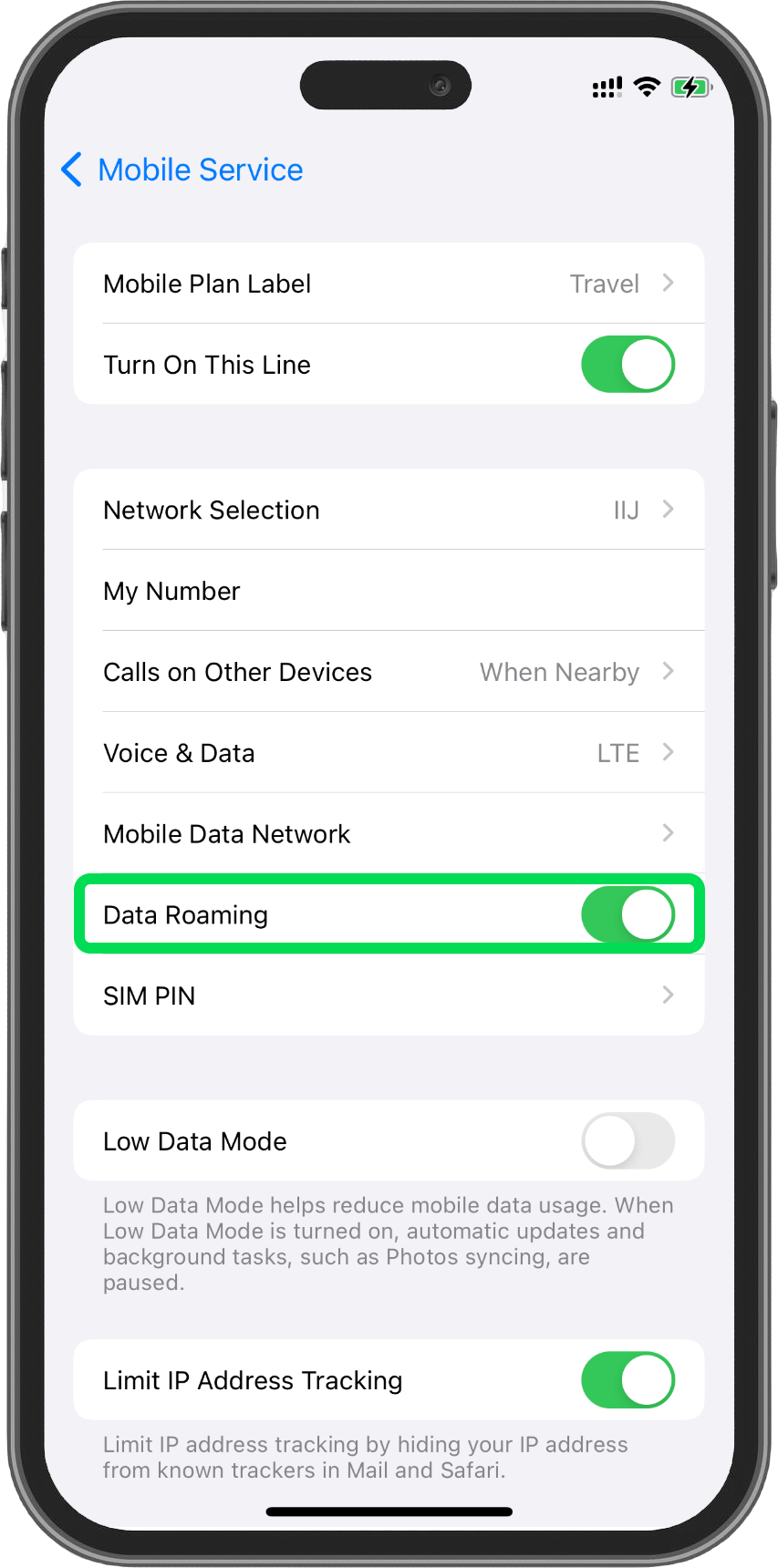
8. Check the Data Roaming settings.
Once the setup is complete, you’ll see the new eSIM on the Mobile Service screen. Finally, ensure that Mobile Data is set to the eSIM, and turn Data Roaming ON to complete the setup. Now you're ready to use your new eSIM!
1. Go to Settings and Network and Internet.
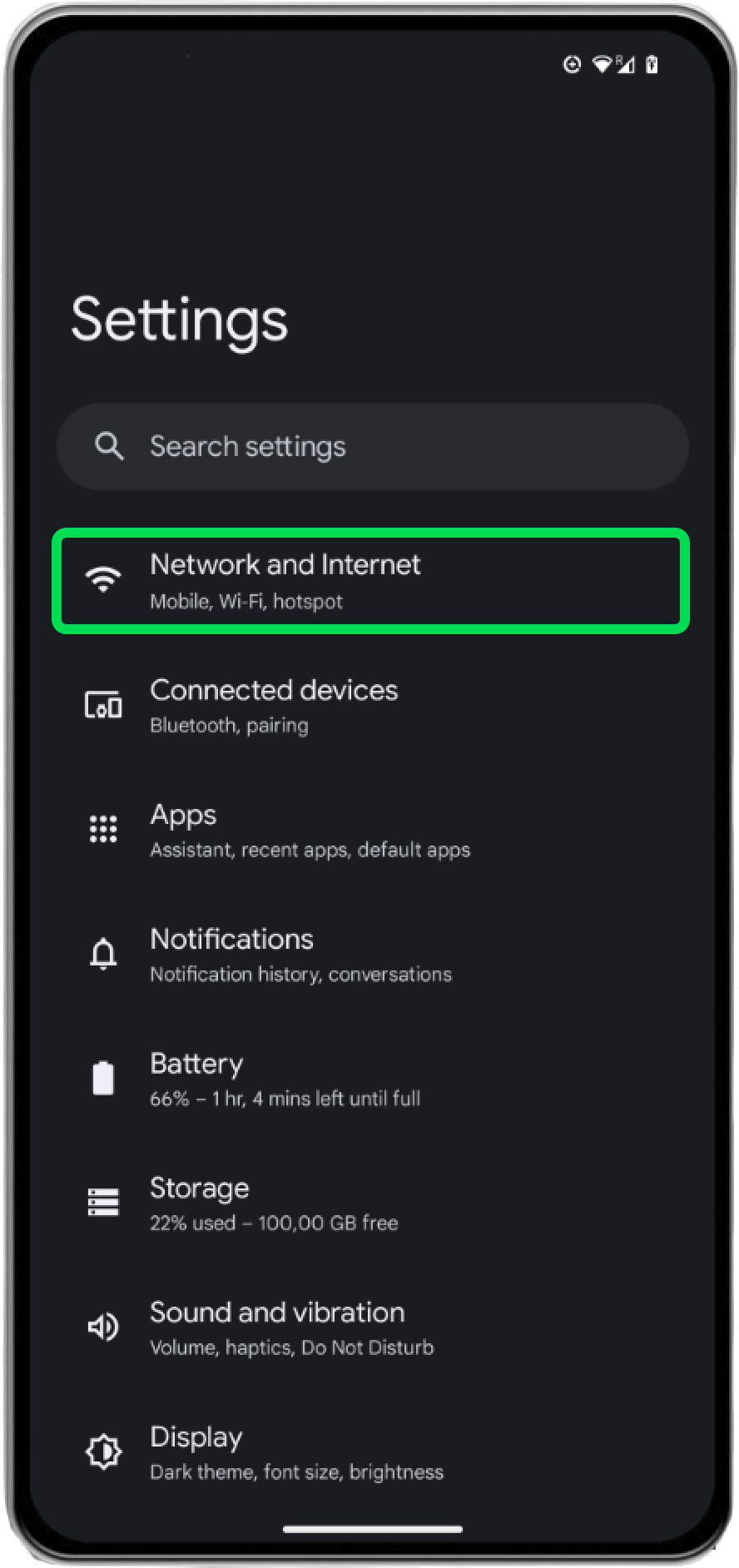
2. Select SIMs.
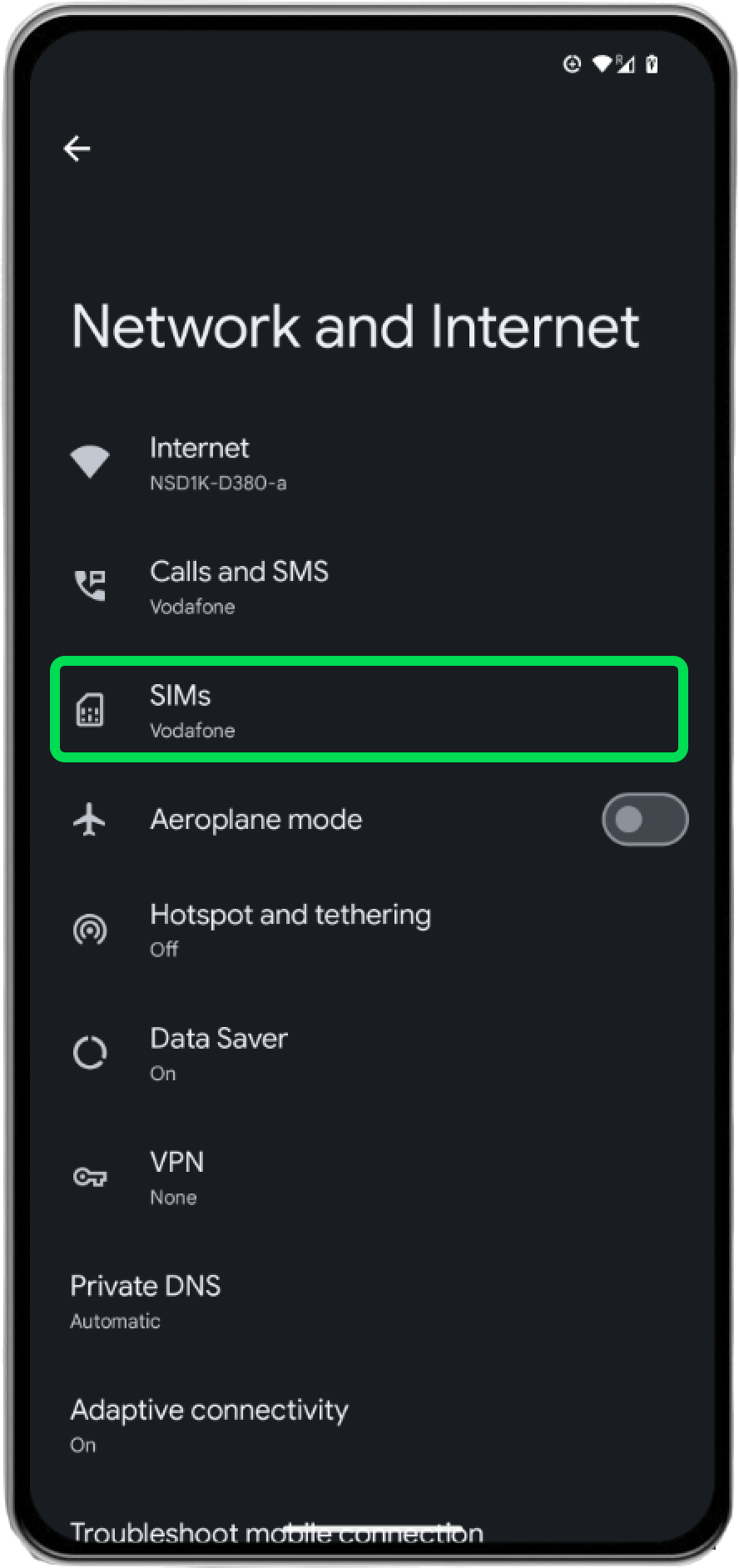
3. Select Add SIM.
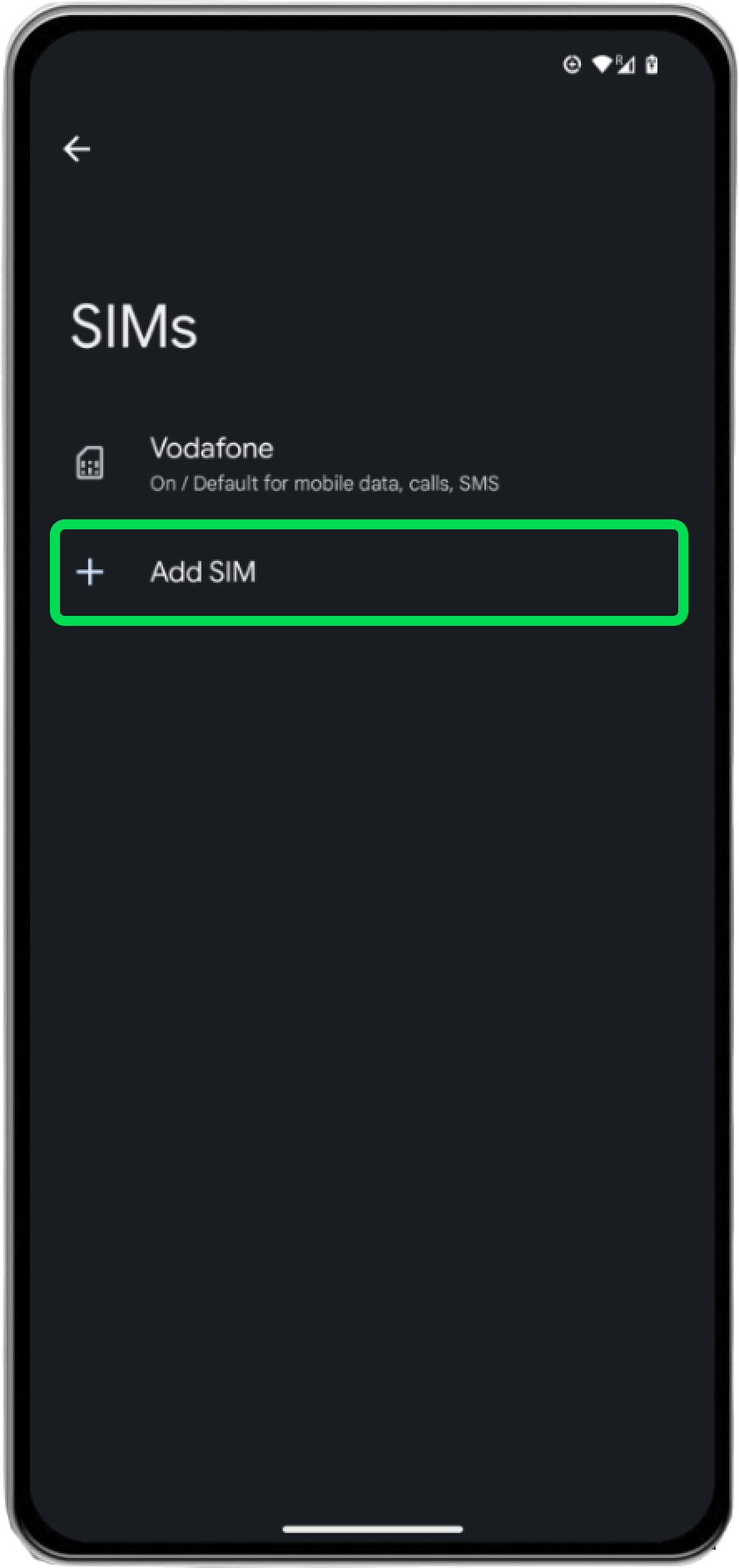
4. Set up an eSIM.
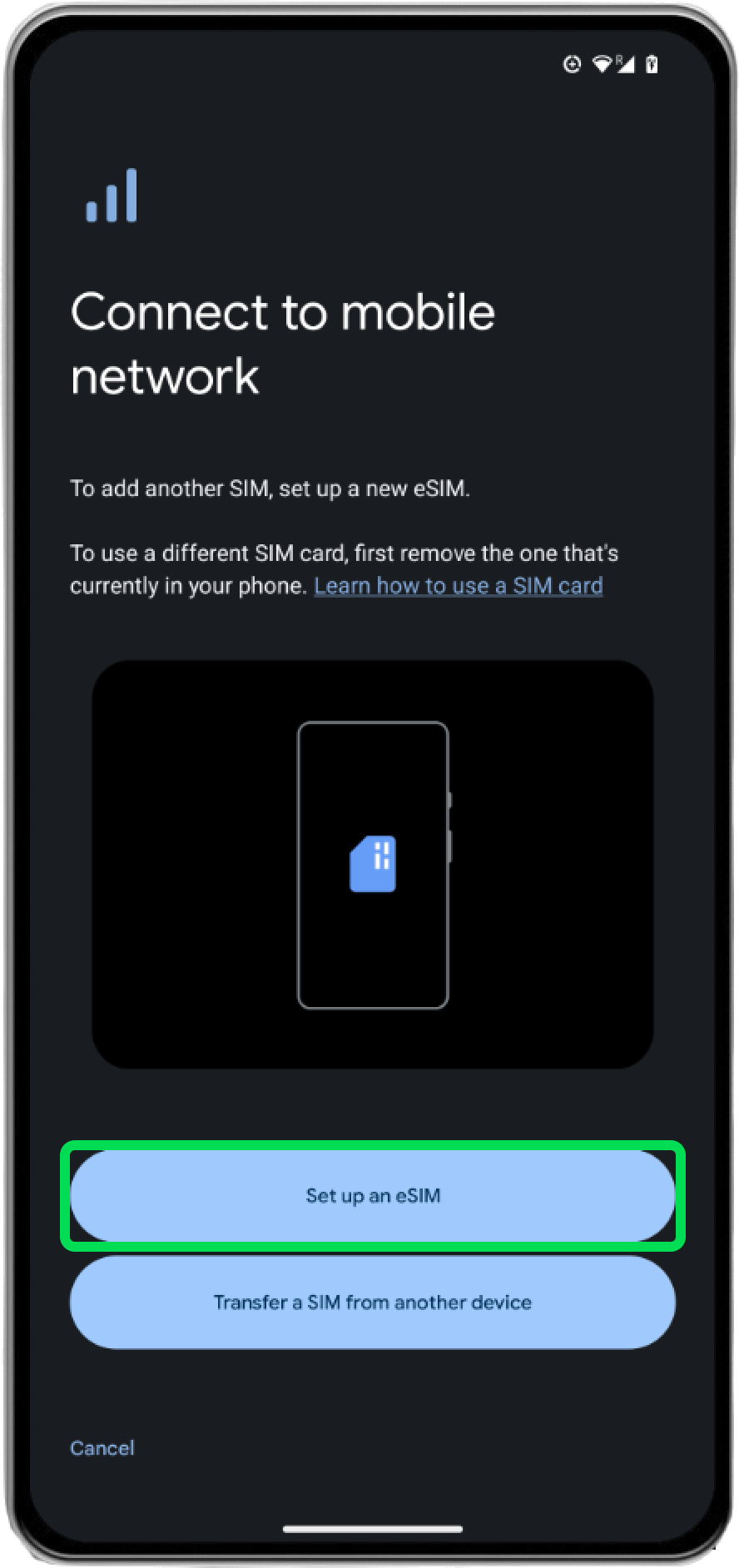
5. Use your camera to scan the QR code from the email.
Activation may take a few minutes to complete.
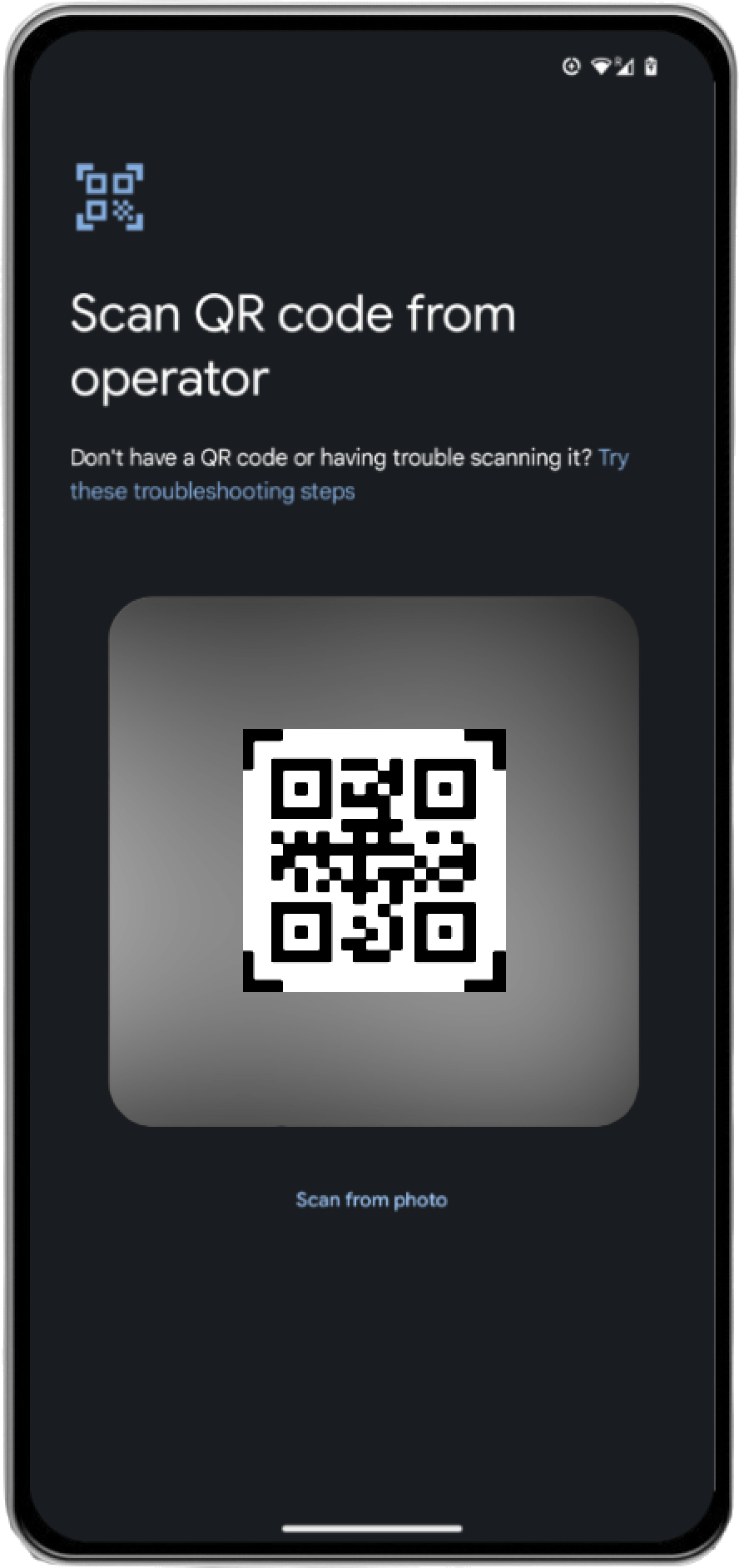
6. Follow the steps on the screen to proceed.
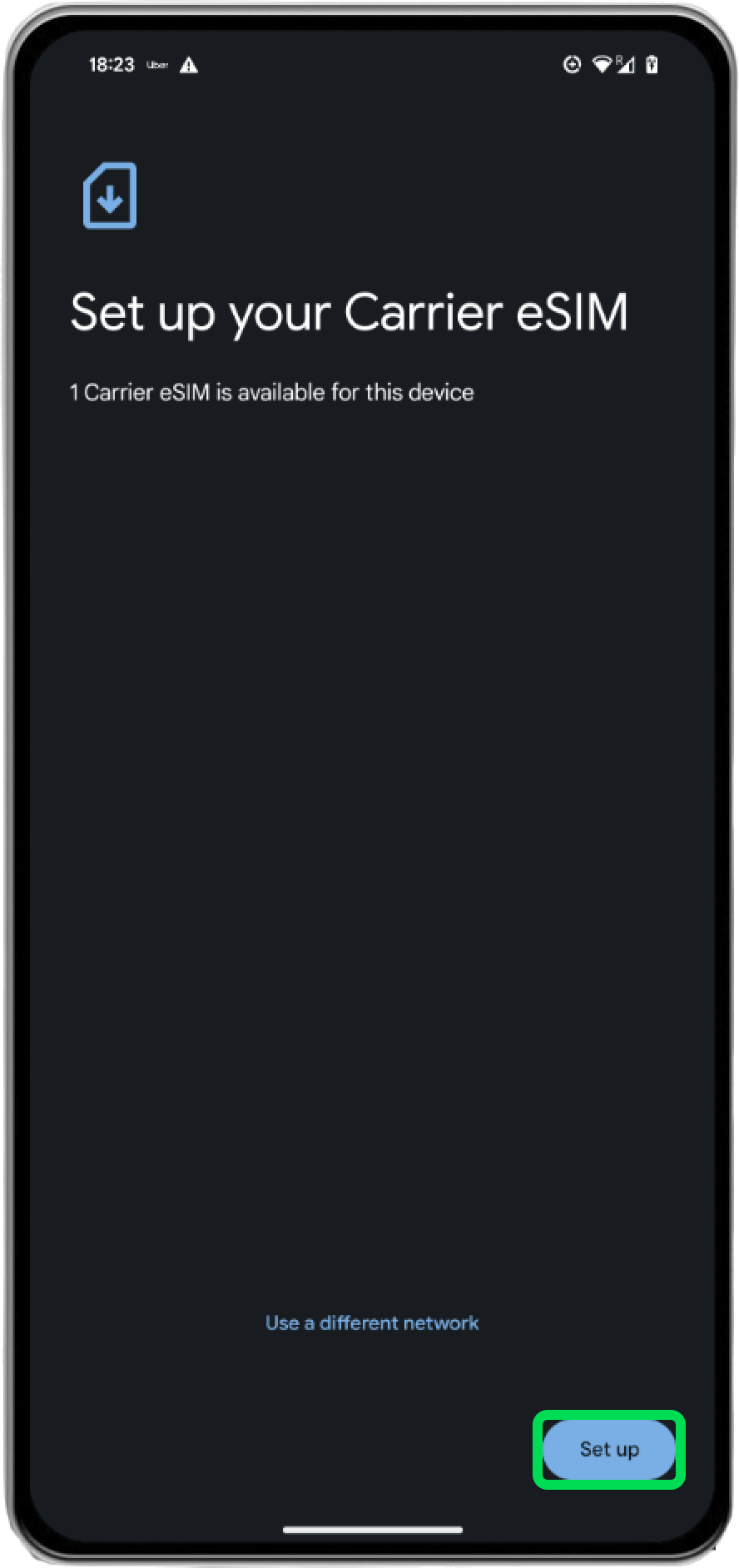
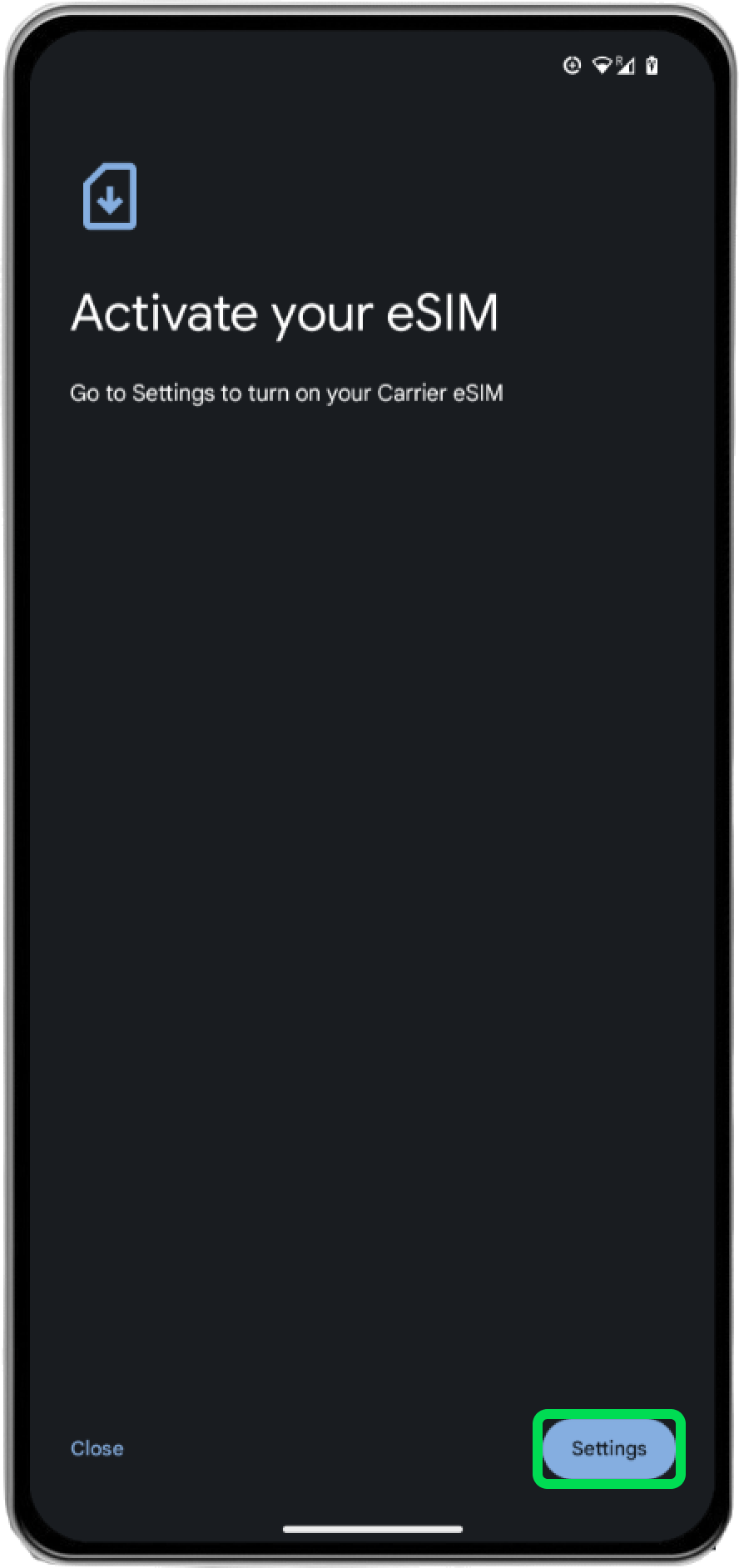
7. Check that the new eSIM has been added to the list.
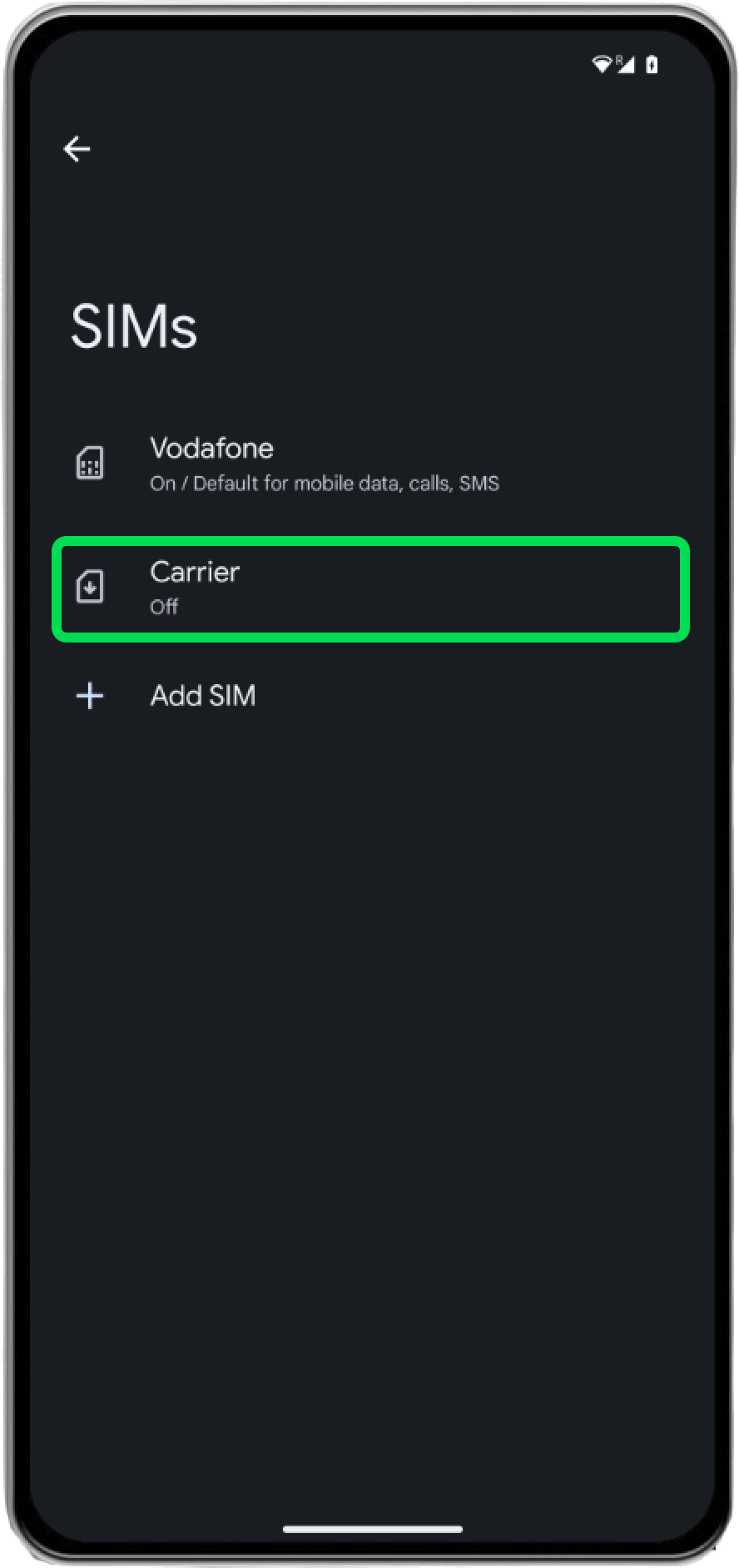
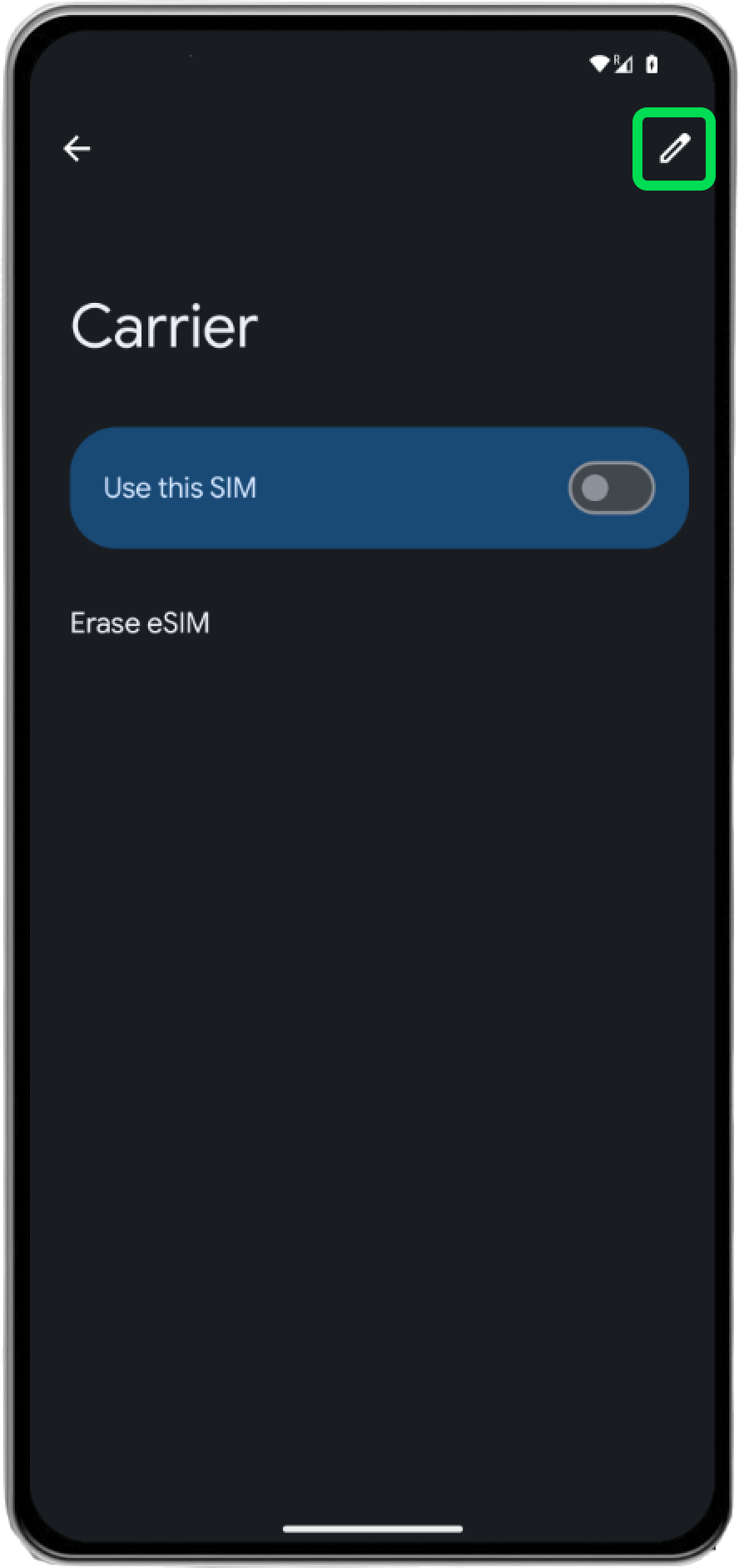
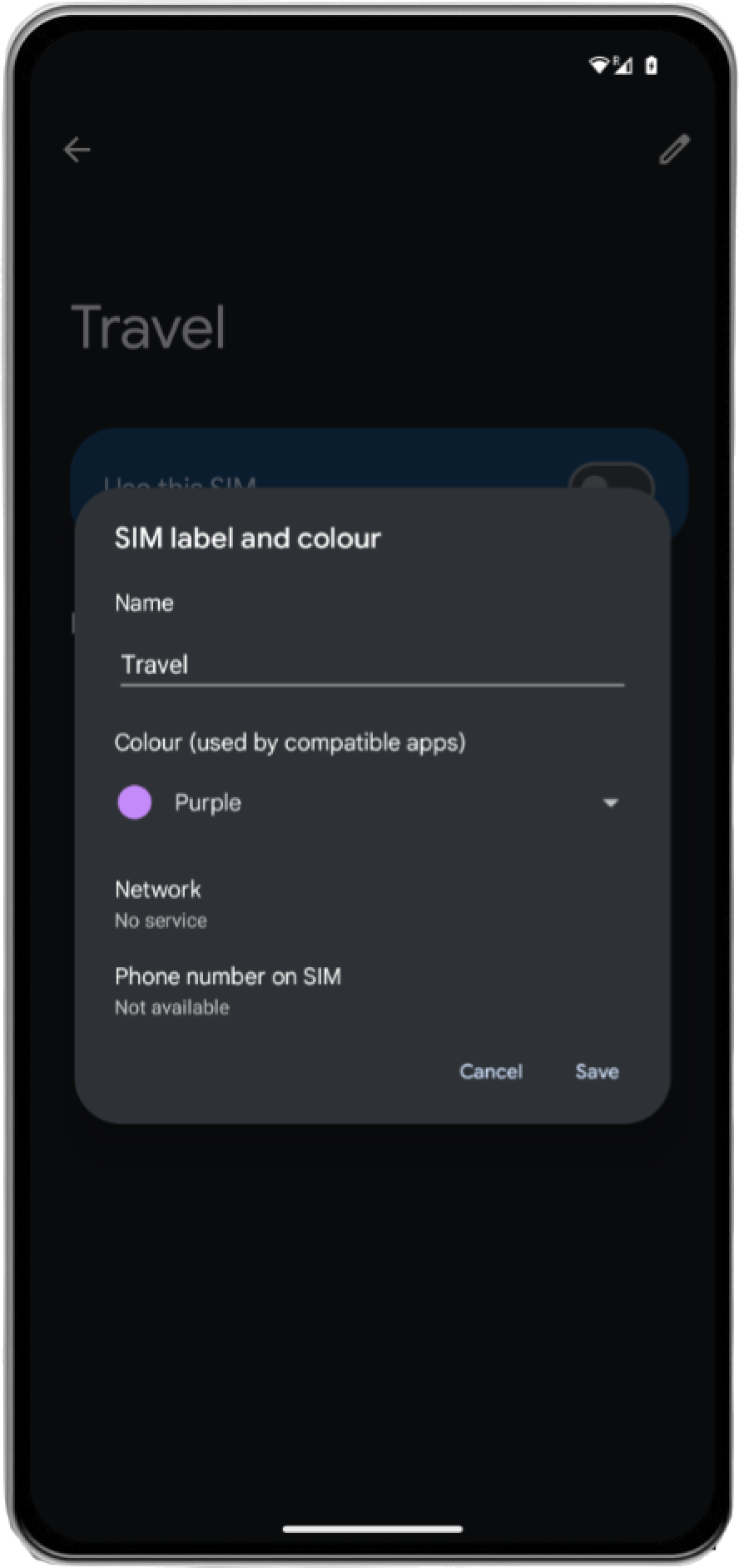
8. Rename the added eSIM.
It’s helpful to use a clear label, such as “Travel” or “Business.”
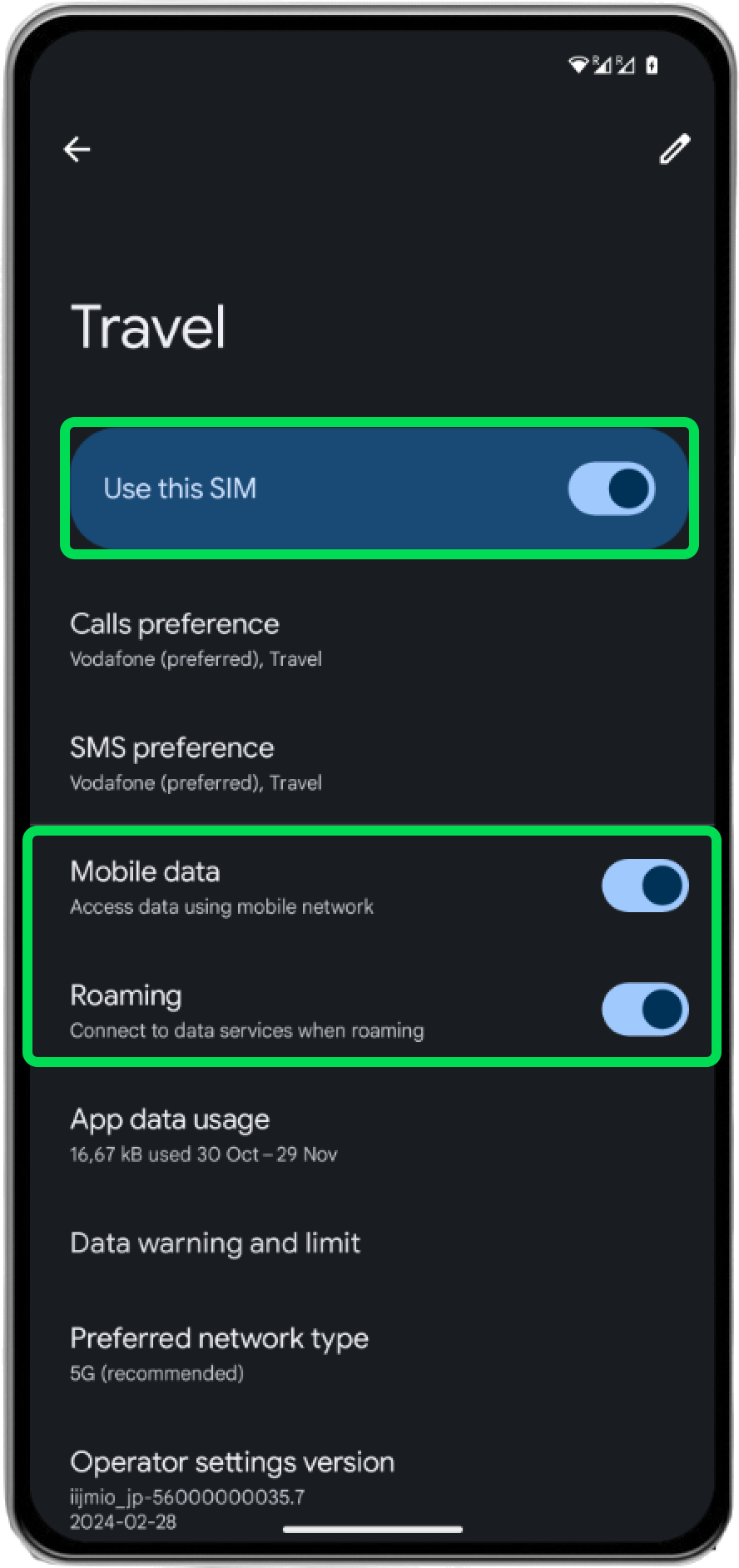
9. Activate eSIM.
Set Use this SIM to ON, and ensure that Mobile data and Roaming are also ON to complete the setup. Now you’re ready to use your new eSIM!
*Testing on iOS 17 and Android 14. Display and functionality may vary depending on your device model and OS version. For detailed eSIM installation instructions, please contact your device manufacturer directly.